Knowledge
Data Product Builder: Build Data Products with your Coding Agent
Write what you want as a data contract, then ask your coding agent to build it. Implement in minutes, fully compliant with your conventions, fully integrated with Entropy Data.
Implementing Data Products in the Age of Coding Agents
Let's be honest: Data engineers today build data products with coding agents such as Claude Code, OpenAI Codex, or GitHub Copilot. The agent writes the dbt models, the tests, the CI workflow. What it needs are three inputs, and all of them can be managed through Entropy Data:
- The data contract defines the what: the dataset the data product must deliver, specified from the data consumer's point of view.
- The skill repository defines the how: your organization's conventions, templates, and policies for building data products on your stack.
- The data marketplace provides the data to build on: the upstream data products, source applications, and external data the new data product consumes.
The coding agent combines all three and implements the data product in minutes: a dataset, a dbt project, a Databricks Asset Bundle, whatever your stack requires, complete with tests, deployment workflow, lineage, and metadata.
This page explains the three building blocks (contract, skills, marketplace) and how they come together in the development workflow.
The Data Contract Defines the What
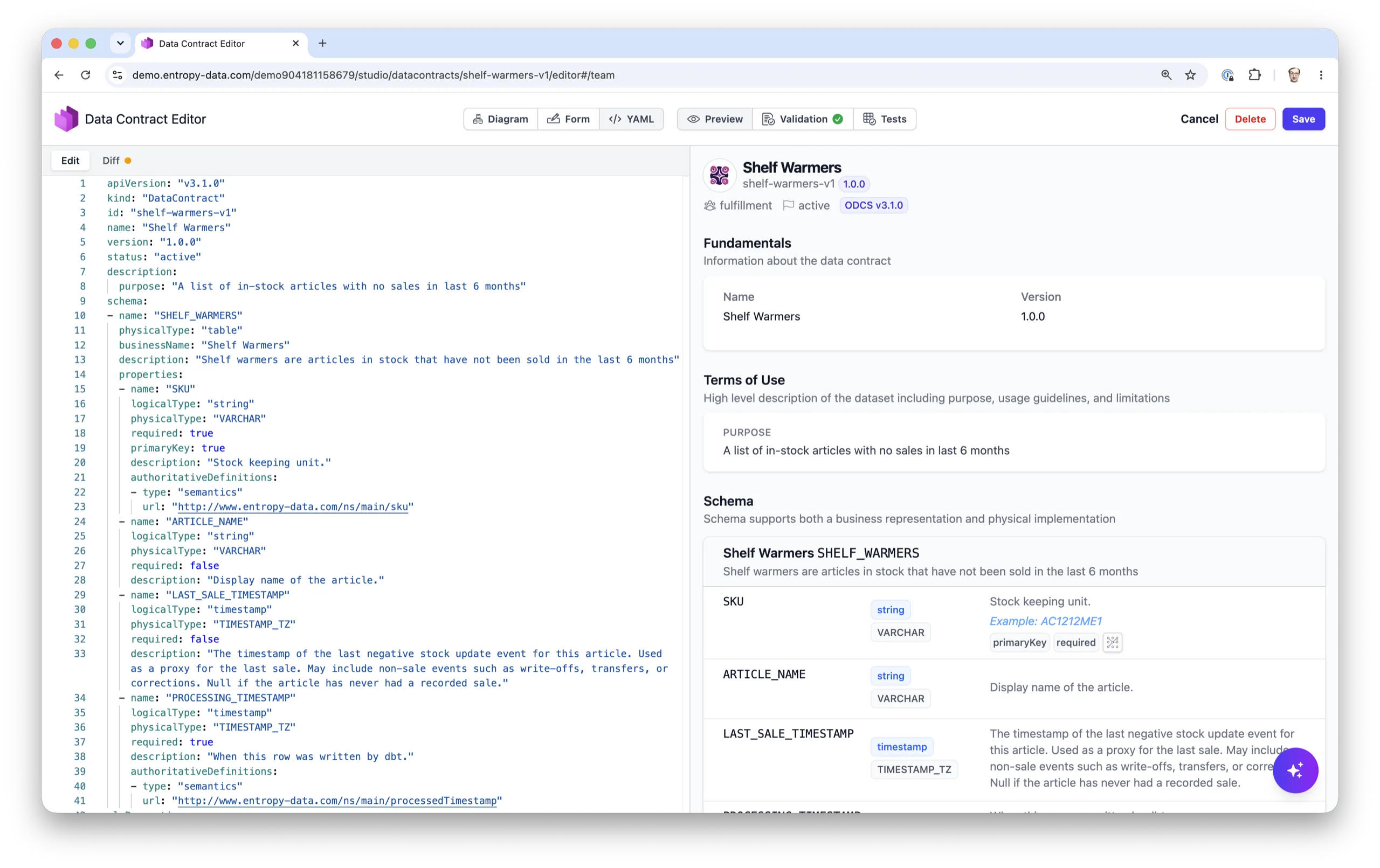
A data contract describes the expected data product from the data consumer's point of view: the schema with types and semantics, quality rules, freshness guarantees, SLAs, and terms of use. It states what the data product must deliver, and so makes it the ideal specification for a coding agent.
So the workflow starts with the contract, not with code, not with the data. Write or extend the ODCS contract first, in the Entropy Data editor, using our ODCS Excel Template, or directly in YAML. Then hand it to the agent and let it generate the data pipeline, tests, CI workflow, and lineage wiring that satisfy it.
Finally, run datacontract test against the result to confirm the live data matches the specification.
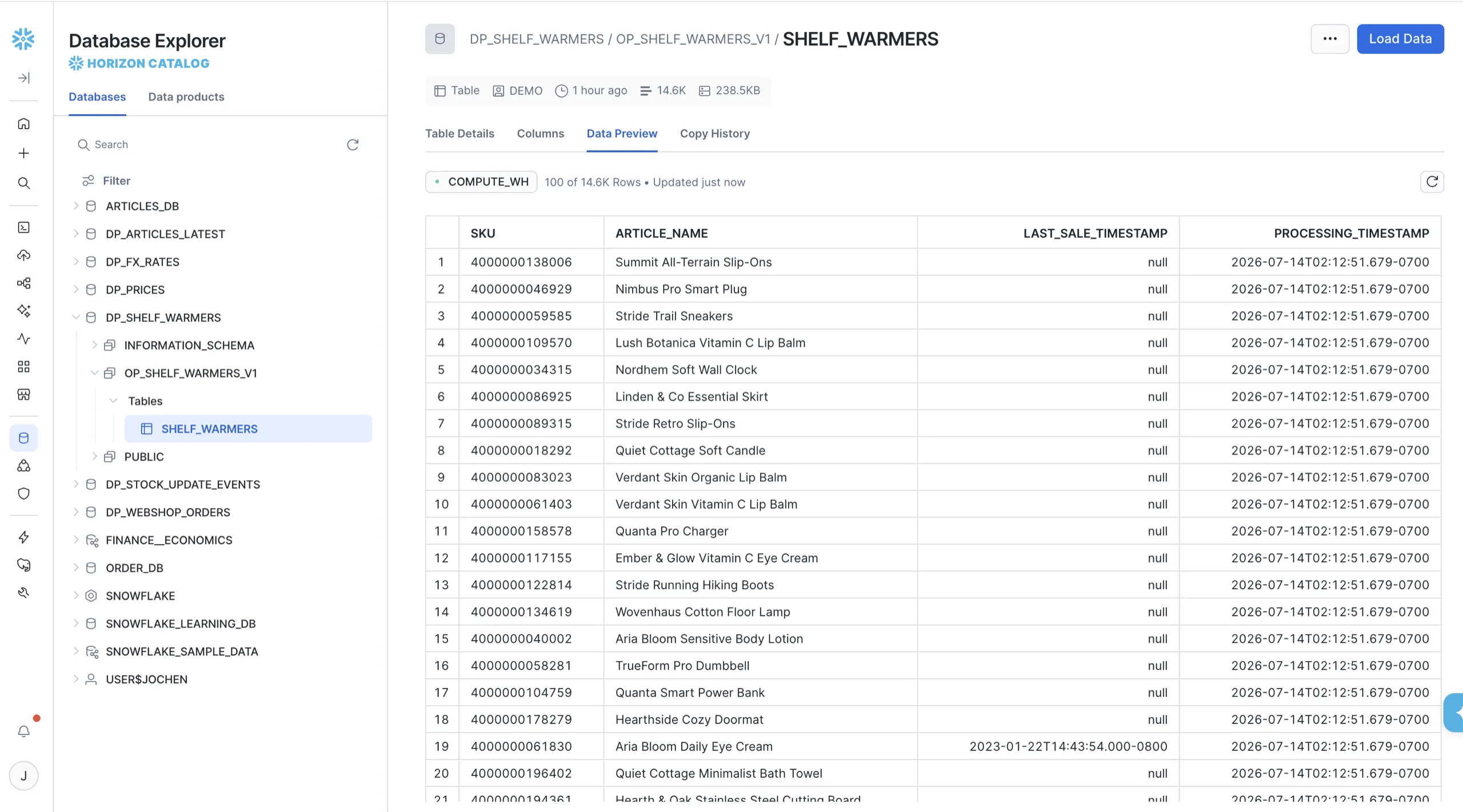
We use the Shelf Warmers data product as the running example on this page: a list of articles in stock with no sales in the last six months, owned by the fulfillment team. Its contract specifies SKU, article name, and last sale timestamp, refreshed daily.
The Skill Repository Defines the How
The same contract can be implemented in very different ways: naming conventions, model layers, orchestration, deployment, security requirements. This knowledge is individual to every organization, and it lives in a skill repository: a Git repository with skills (Markdown instructions the agent loads for a specific task), file templates, and validation hooks.
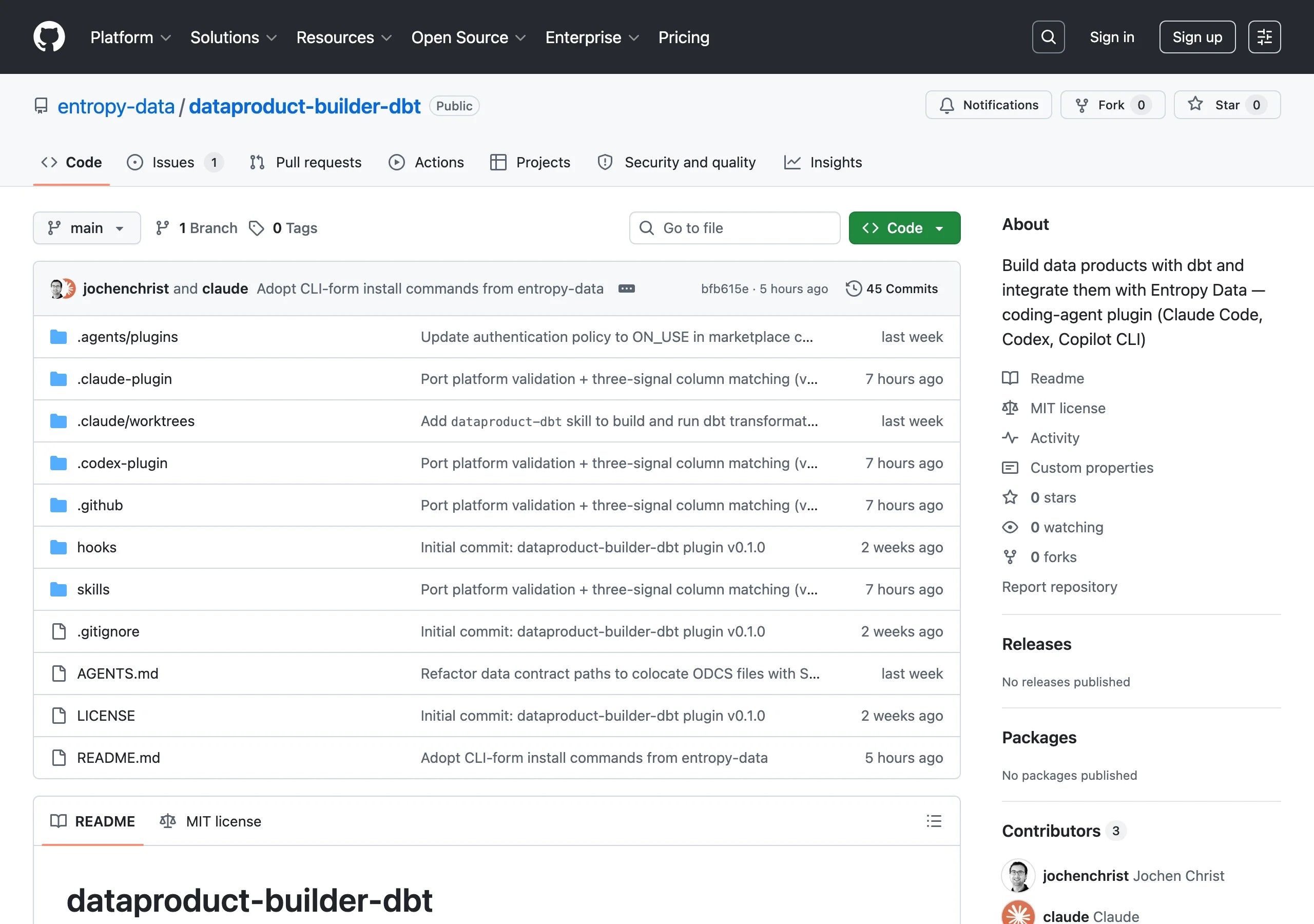
entropy-data/dataproduct-builder-dbt is the open-source reference for dbt. Fork it and encode your own conventions: replace the model-layer naming, swap GitHub Actions for Airflow, add internal lint rules, embed your PII taxonomy, insert governance checkpoints.
The repository plugs into the coding agent through its plugin mechanism, for example as a Claude Code plugin, a Codex plugin, or via AGENTS.md routing. Once installed, the agent picks the right skill for the task at hand and implements the data product in minutes, fully in line with your company's policies and conventions.
Entropy Data provides open-source skill repositories per stack:
- dataproduct-builder-dbt. dbt on any adapter: Snowflake, BigQuery, Databricks, Redshift, Postgres, DuckDB. GitHub Actions for CI. Full integration with Entropy Data: ODPS, ODCS, OpenLineage lineage, and drift detection.
- dataproduct-builder-databricks. Databricks Asset Bundles with Lakeflow Spark Declarative Pipelines. Sharing via Unity Catalog. Full integration with Entropy Data.
- Snowflake Native Apps Framework. Coming soon.
- AWS Glue. Coming soon.
Community and custom repositories are welcome. Submit a pull request to the dataproduct-builders registry to list yours.
The Data Marketplace Provides the Data to Build On
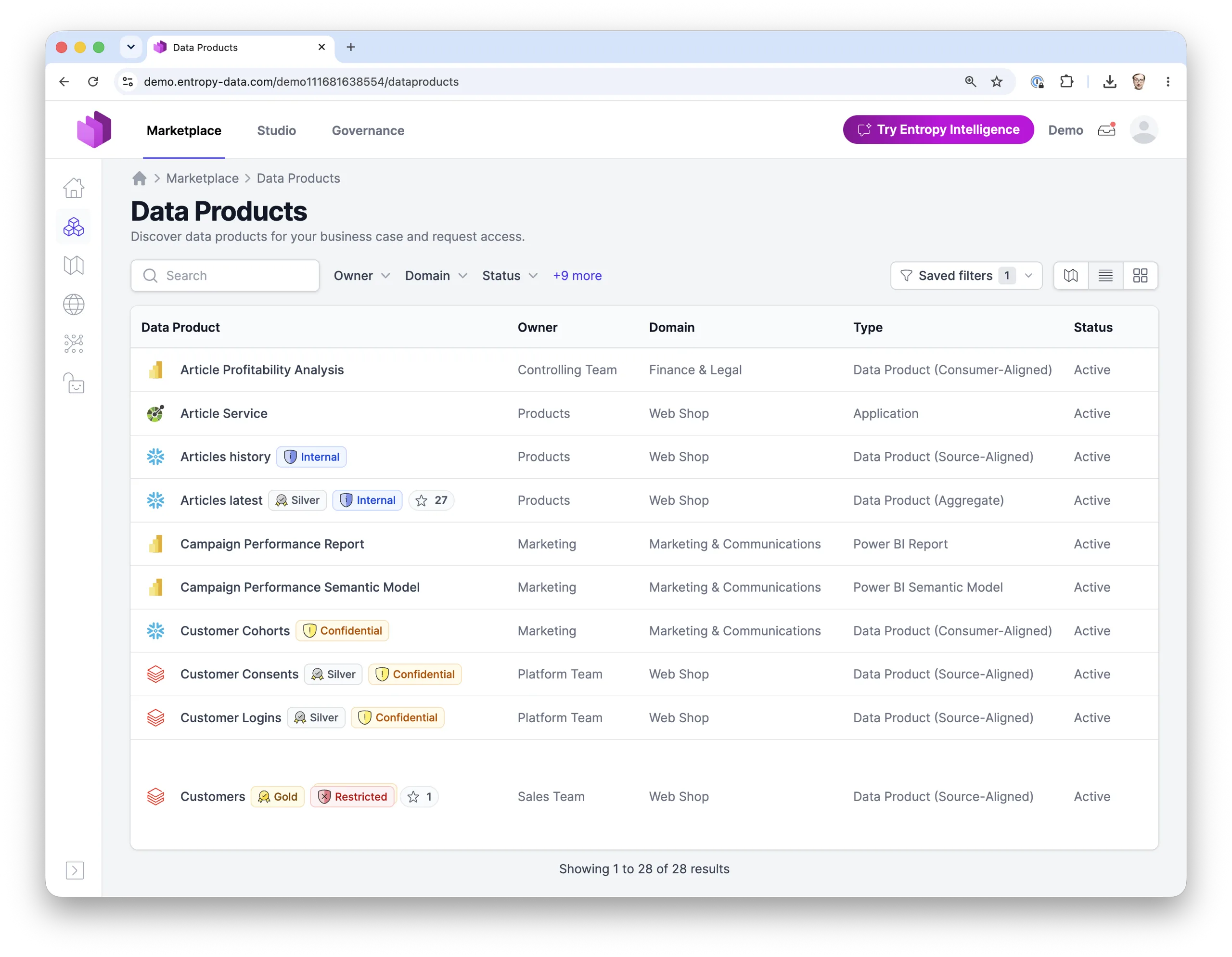
A data product rarely starts from nothing. It consumes upstream data, and the coding agent finds that data in the Entropy Data marketplace. Through the Entropy Data CLI, the agent searches across everything the marketplace knows:
- Upstream data products with their contracts, semantics, and quality track record.
- Source applications, the operational systems behind source-aligned data products.
- Available external data from commercial providers and open data listed in the marketplace.
Shelf Warmers needs the current article catalog and the stock movements, so the agent runs
entropy-data search query "articles stock" -o json
The agent reads the candidates' contracts and semantics, and evaluates whether they are relevant for the data product it is building: do the fields, join keys, quality guarantees, and terms of use match the requirements? For Shelf Warmers, it settles on two upstream data products: Articles latest from the products team for the article catalog, and Stock Update Events from the fulfillment team for the stock movements. Both become input ports of the new data product (models/input_ports/*.odcs.yaml in the dbt reference layout), so lineage is wired up from the first commit.
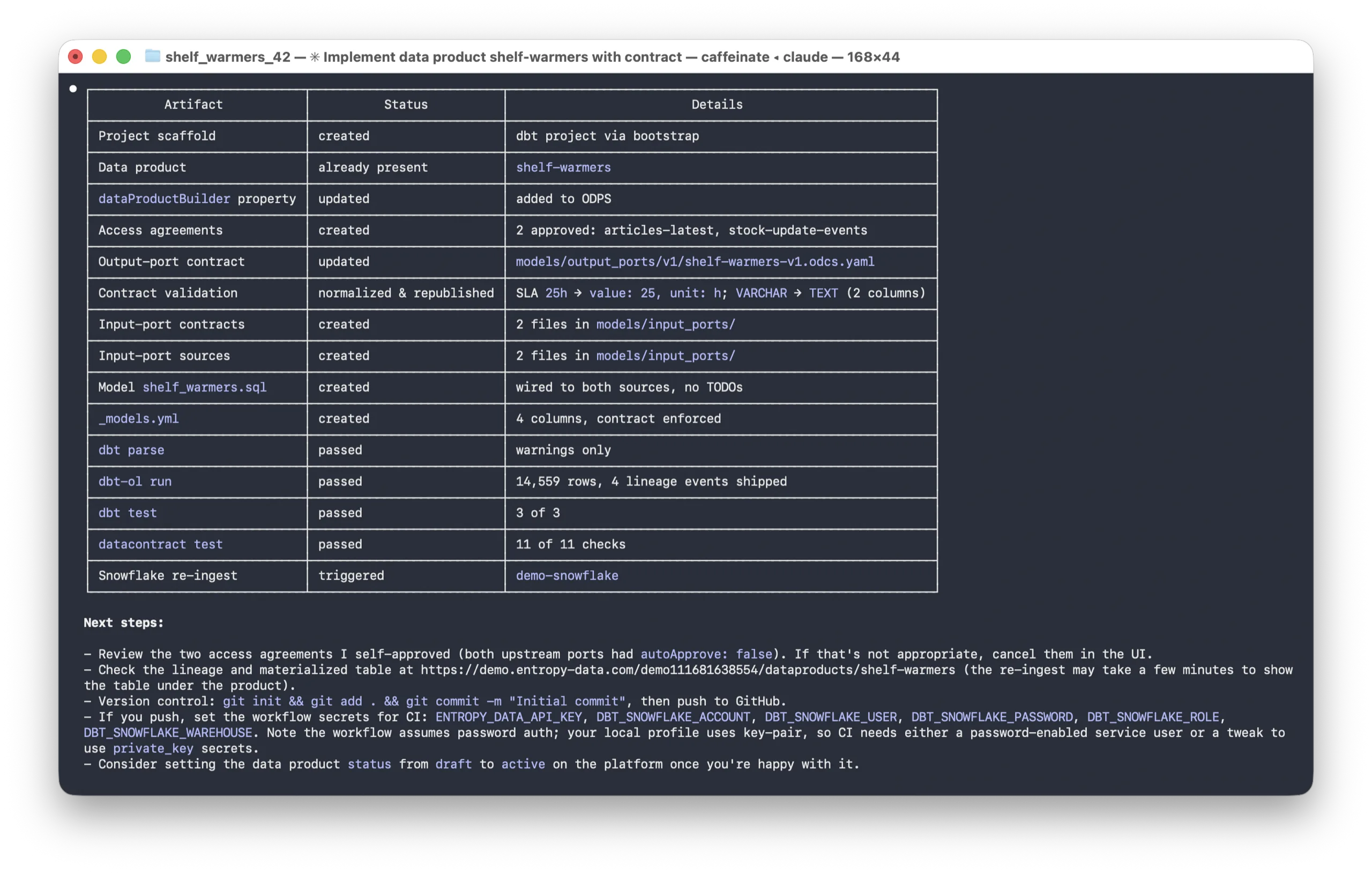
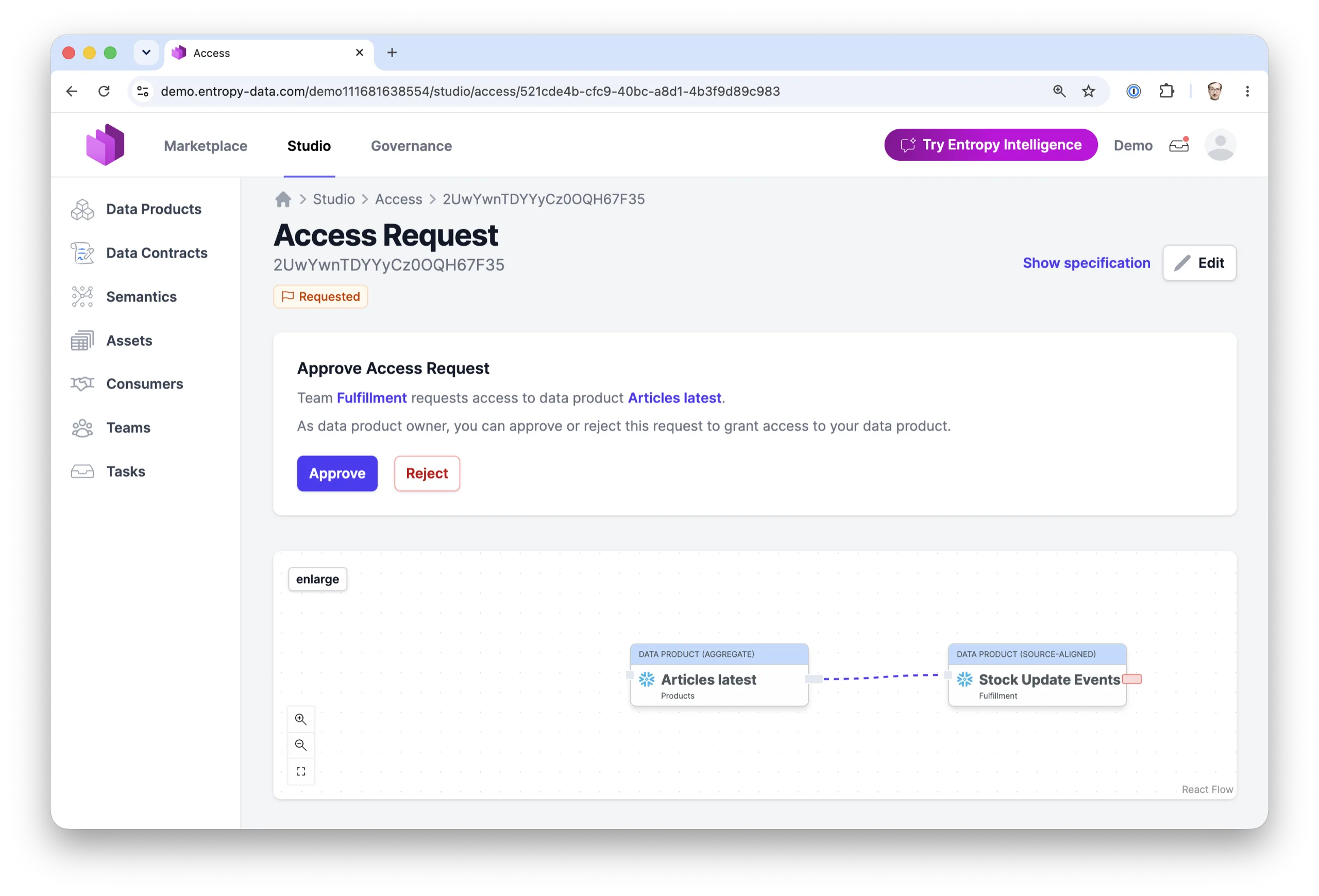
Where access to a source is restricted, the agent goes one step further: it requests access on behalf of the new consuming data product, including the business justification. For Shelf Warmers, that is an access request for the Articles latest output port with the purpose "identify articles in stock with no sales in the last six months". The data product owner sees the request in Entropy Data and approves it, or a governance policy approves it automatically based on the data product settings and data classification profile.
Under the Hood
Entropy Data CLI
The Entropy Data CLI is the bridge between your local repository and the Entropy Data platform. It connects to Entropy Data to discover upstream data products in the marketplace, retrieve their contracts and semantics to understand join keys and field definitions, update your data product's metadata and lineage, and publish contract test results. Install it once per repository, authorize it with an API key, and the sync and publish skills will use it automatically.
We chose the CLI over MCP because it is more token efficient and simpler to set up.
Guidance in Entropy Data
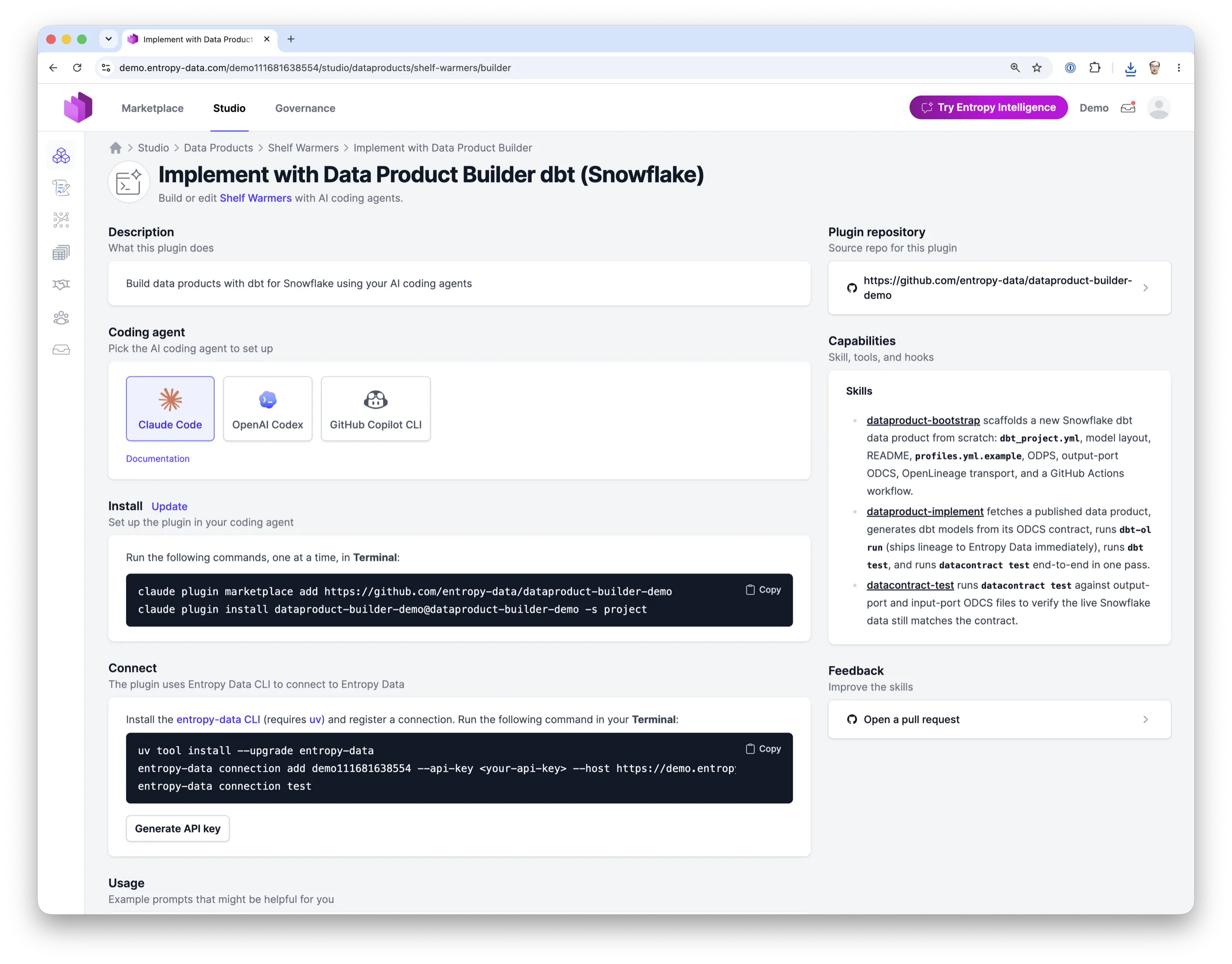
A Data Product Builder repository is registered as a builder in Entropy Data, under Governance → Data Product Builders. The builder is where data engineers define the experience for the teams that will use it:
- Installation instructions for the coding agents the template supports (Claude Code, OpenAI Codex, GitHub Copilot CLI). The install commands are generated from the repository URL.
- Usage prompts with variants per lifecycle stage. A data product in
draftgets a bootstrap prompt; one that isactivegets evolve and test prompts.
Entropy Data also controls visibility: different teams see different Data Product Builder plugins depending on the data product's archetype, owning team, tags, and status. One team building a Databricks consumer-aligned product sees a Databricks-optimized builder. Another team building a Snowflake source-aligned product sees a Snowflake builder. Each team works with the builder that fits their stack and conventions.
Skills (Examples)
A skill is a Markdown file the agent loads when the matching task comes up. The seven skills below are the ones shipped by the reference dbt skill repository (entropy-data/dataproduct-builder-dbt); your fork can add, remove, or replace any of them.
- datacontract-edit changes an output-port contract from a natural-language instruction. The contract stays the entry point.
- dataproduct-bootstrap scaffolds a new dbt project:
dbt_project.yml, the four-layer model layout, README,profiles.yml.example. - dataproduct-implement reads the input and output contracts and writes the dbt models that fulfill them.
- datacontract-test runs
datacontract testagainst the live data and reports back schema and quality results. - dataproduct-exampledata extracts sample rows, drops columns flagged as PII in the contract, and uploads the scrubbed sample to Entropy Data.
- entropy-data-sync takes an existing dbt project, aligns it with the reference layout, sets up the deployment workflow, and synchronizes ODPS, ODCS, and lineage metadata.
- entropy-data-teams lists the teams configured in your tenant so the agent can ask the user to pick an owner.
For the resulting dbt project layout and the role of each component, see Building Data Products with dbt.
Supported Coding Agents
- Claude Code
- OpenAI Codex
- GitHub Copilot CLI
- Cursor, Aider, and any other agent that reads
AGENTS.md(or pick up theskills/folder directly)
The exact install commands for your data product, with your repo URL prefilled, are rendered on the Builder tab.
Setup
Two one-time steps per repository: install the plugin and connect the CLI.
claude plugin marketplace add https://github.com/entropy-data/dataproduct-builder-dbt
claude plugin install dataproduct-builder-dbt@dataproduct-builder-dbt -s project
uv tool install --upgrade entropy-data
entropy-data connection add default --api-key <your-api-key> --host <your-entropy-data-host>Generate the API key under Organization Settings → API Keys. For CI, use a team- or organization-scoped key stored as a repository secret. The Builder tab provides both commands with host and key prefilled.
Entropy Data
Entropy Data is a marketplace for data products governed by data contracts. The Data Product Builder closes the loop between contract and implementation: edit the contract in the marketplace, hand the prompt to your agent, and the data product ships with output ports, tests, lineage, and metadata already wired up.
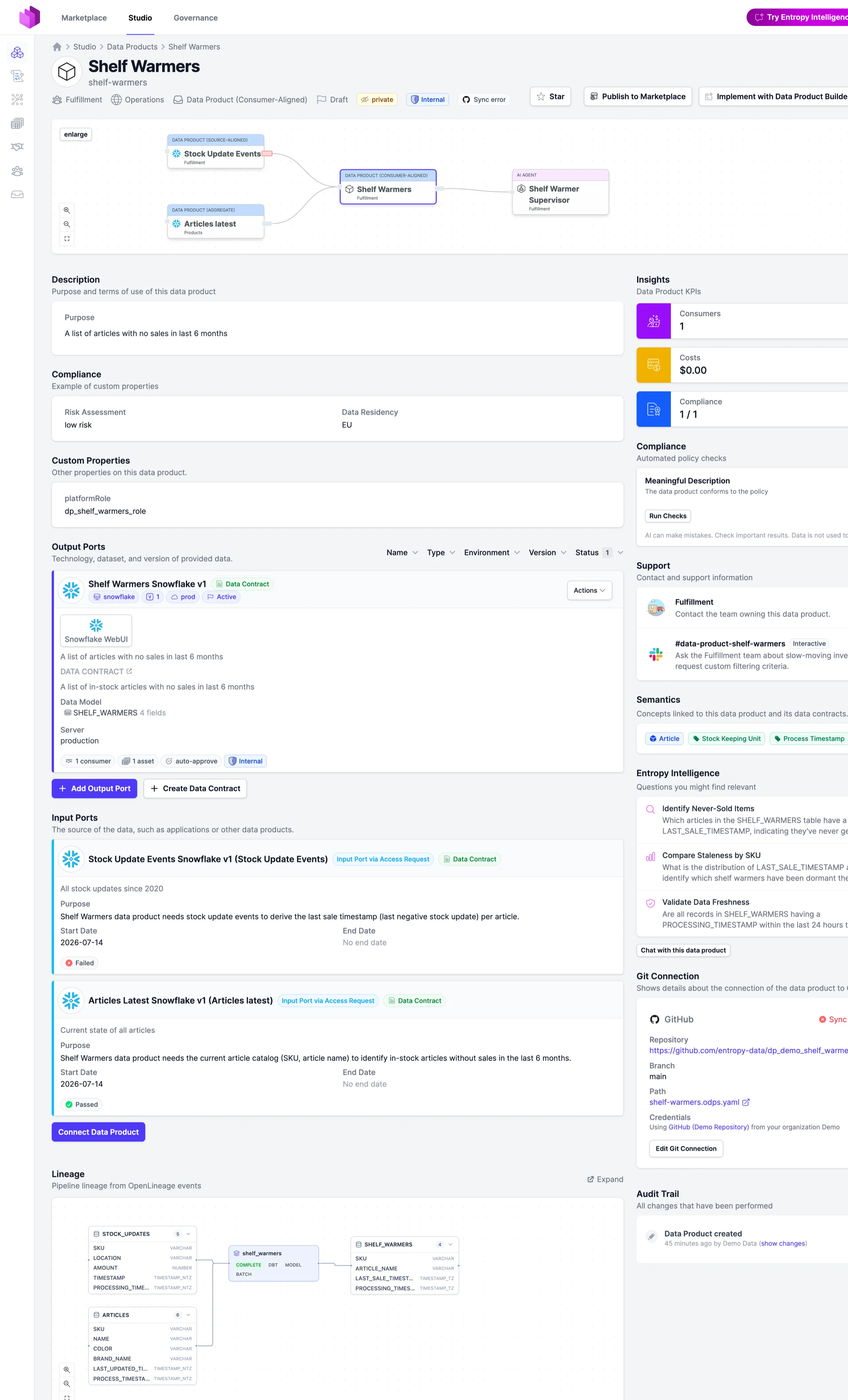
The data product the agent builds is more than code in a repository. It shows up fully wired in Entropy Data:
- Marketplace listing: Shelf Warmers is discoverable with its purpose, owning team, output ports, and terms of use, by humans and by AI agents.
- Lineage: from Articles latest and Stock Update Events through the dbt models to the output port, published via OpenLineage on every run.
- Contract test results: every
datacontract testrun reports back, so consumers see at a glance that the product delivers what it promises. - Drift detection: Entropy Data flags when the live implementation diverges from the contract.
- Access management: consumers request access to the output port, and approvals can provision the roles on the data platform.
- Example data: PII-scrubbed sample rows let consumers evaluate the product before requesting access.
Start for Free, browse the demo, or read the Data Product Builder docs.